Reflash MicroSD Card
Reflashing
Page Contents
Basic MicroSD Card Troubleshooting
Re-flash Micro SD Card
Additional Info
¶ Basic MicroSD Card Troubleshooting
Recommended MicroSD: Sandisk Max Endurance 64GB microSD
¶ Re-flash Micro SD Card
Need to reflash the card inside your RoninDojo bitcoin node? Follow the steps below.
- Download Balena Etcher.
- Download the RoninOS image from our website.
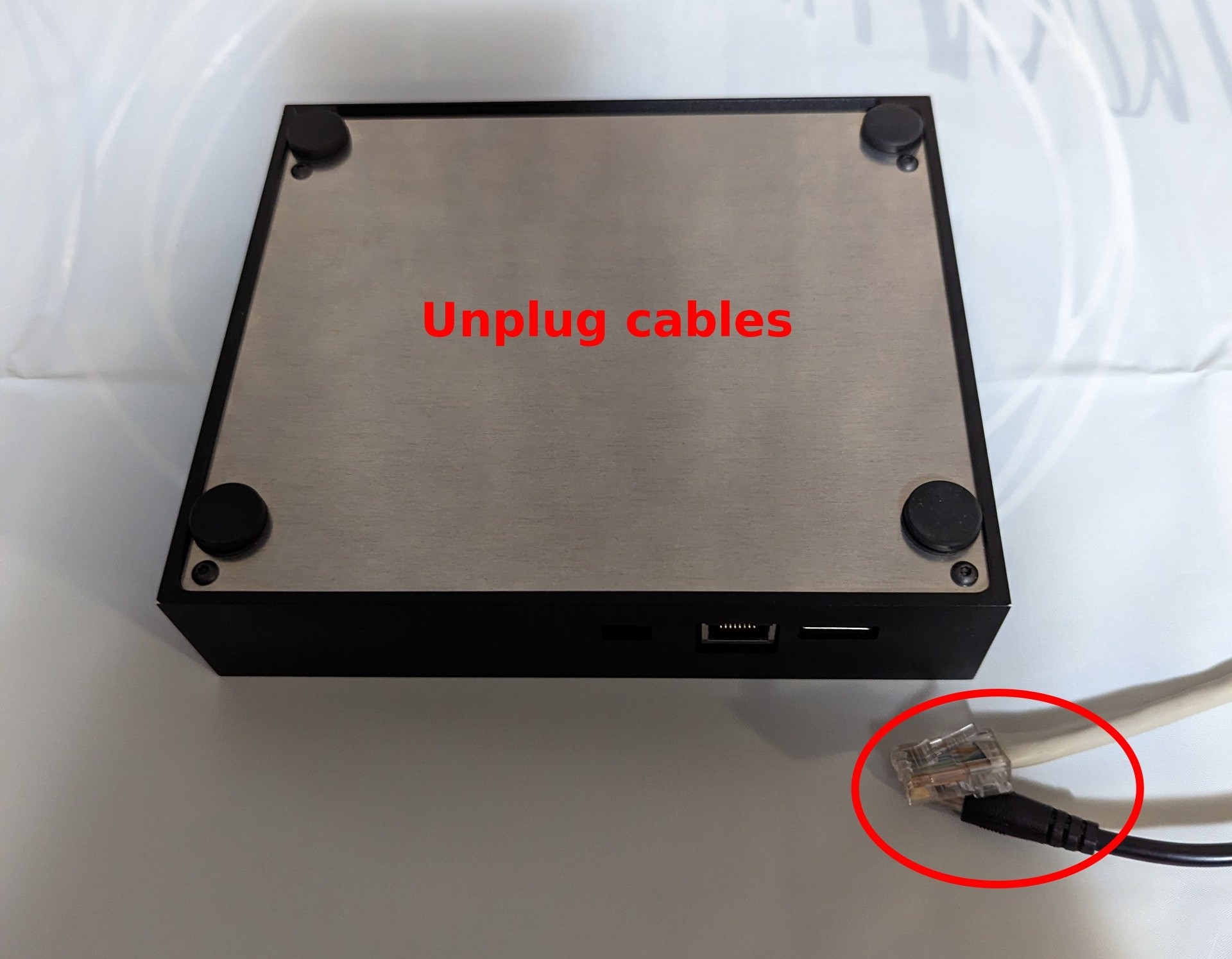
- Unplug cables.
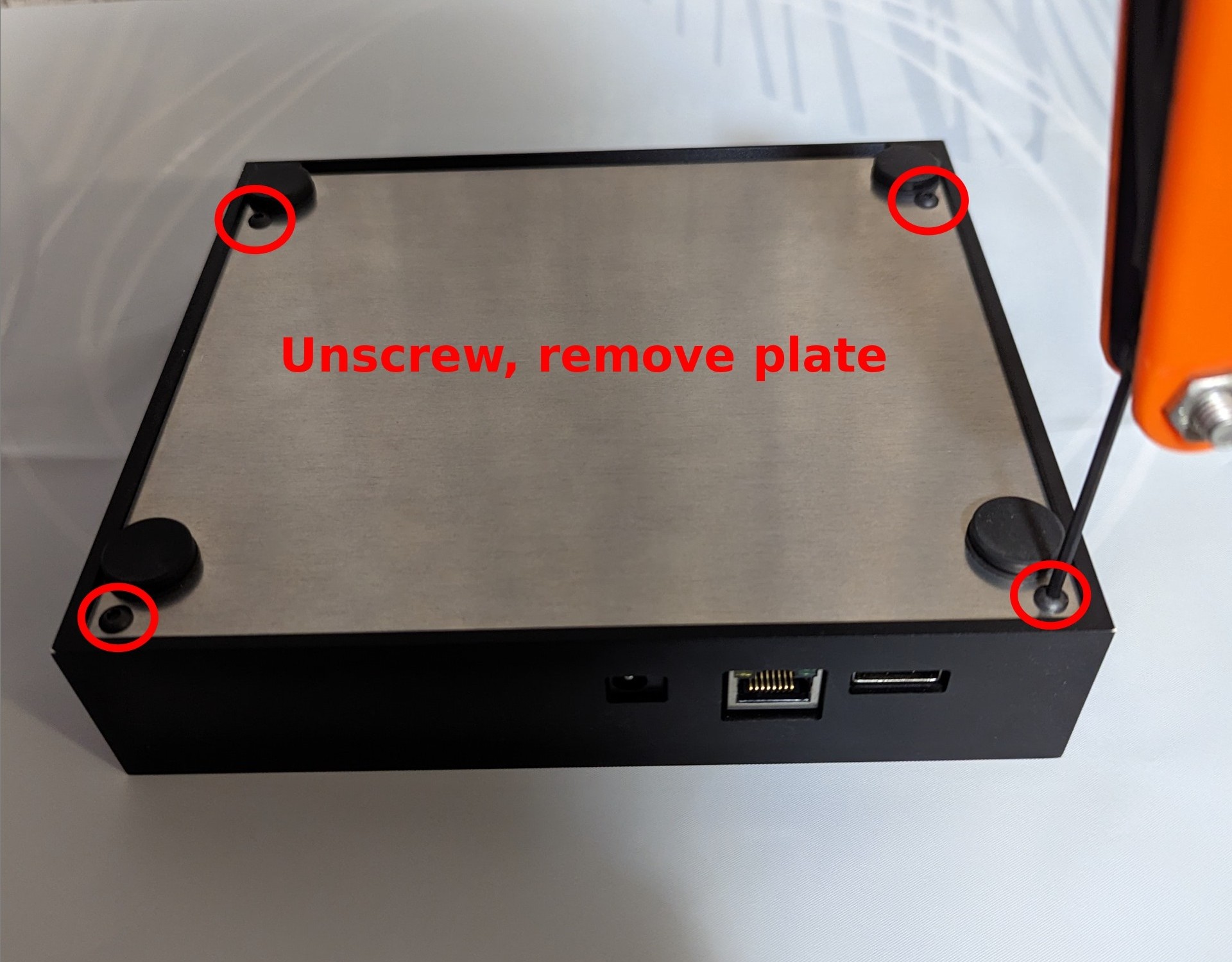
- Unscrew bottom plate using the Allen Key that was included in your Tanto shipment.
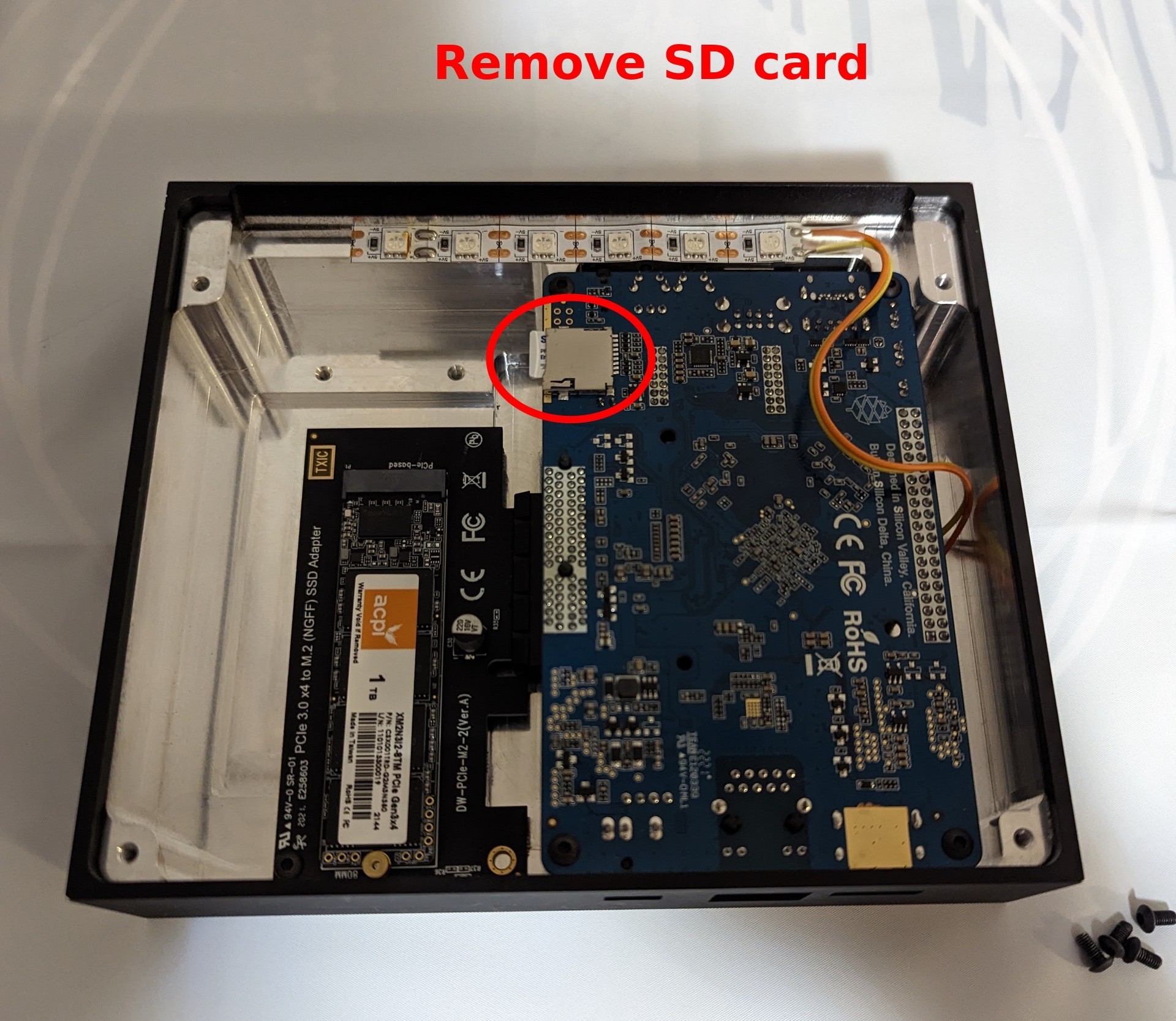
- Remove microSD card by pushing in, and card will pop-out eject.
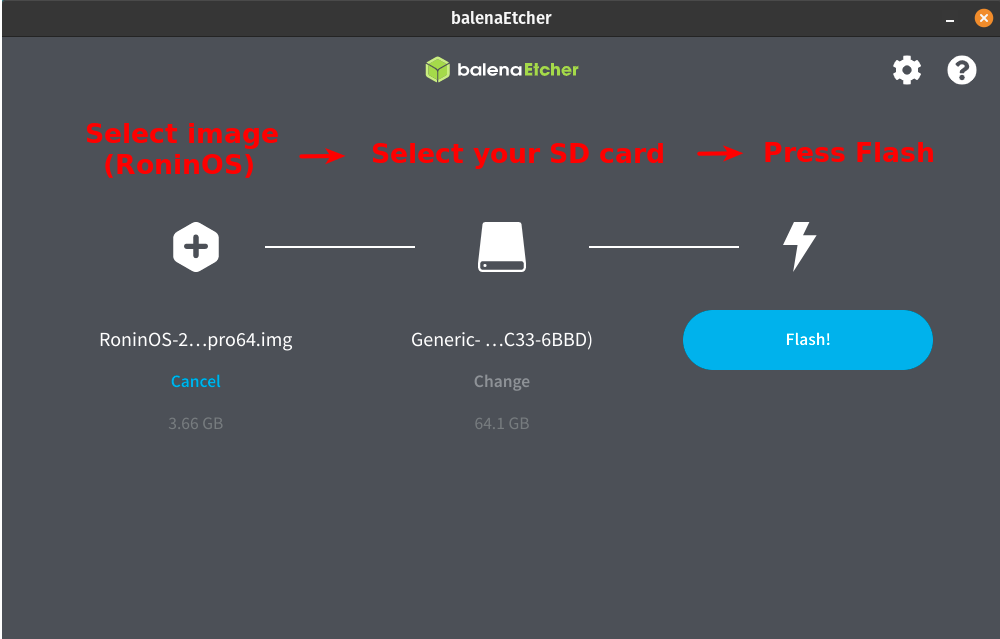
- Insert micro SD card into your PC, open Balena Etcher, select the RoninOS image, select your microSD card, and finally press
Flash!
- Reassemble, plug ethernet cable in first - power in second.
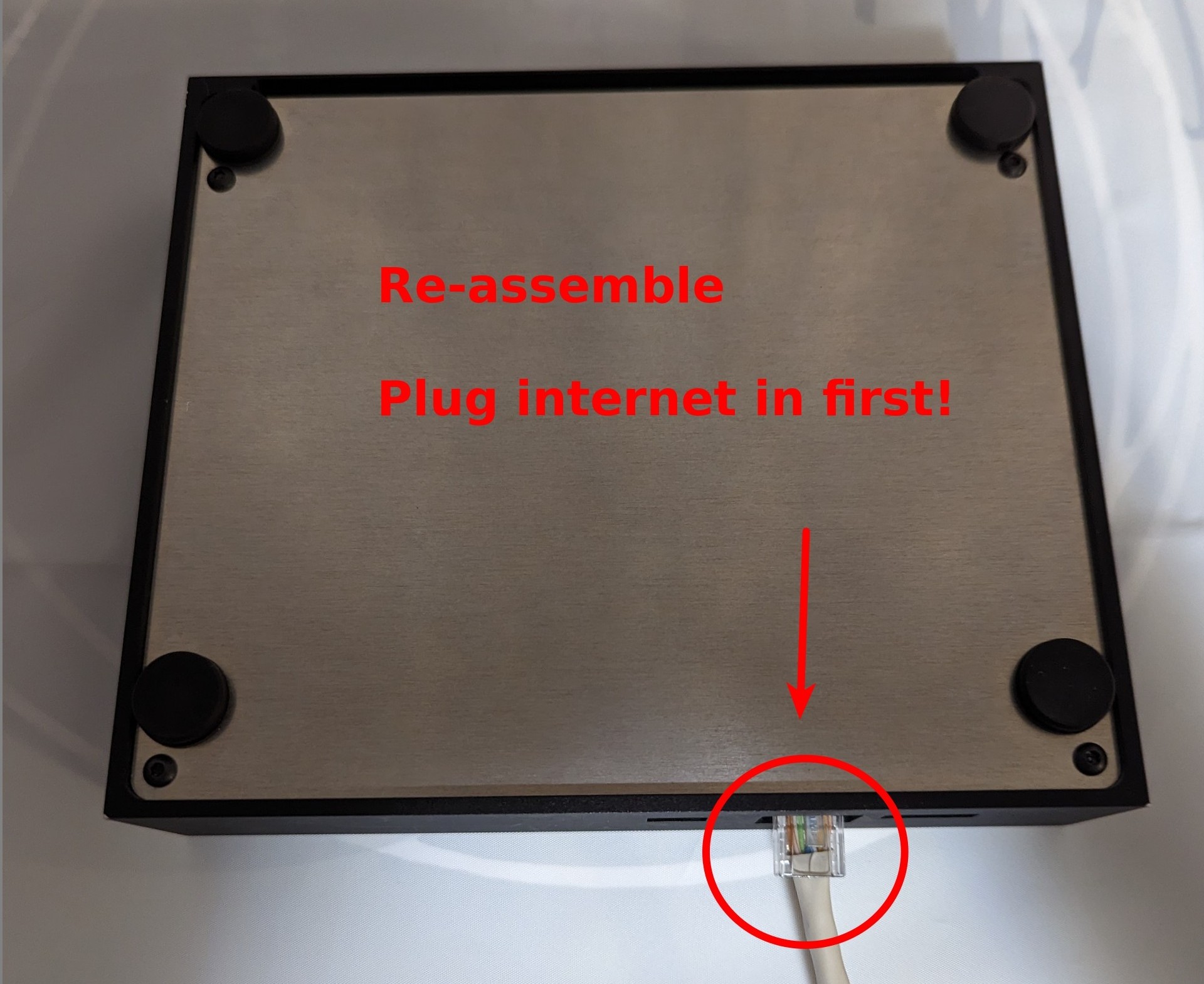
- Now you can continue with the Tanto Setup Guide.
¶ Additional Info
Check out Extras for more inspiration and ideas.
Join the RoninDojo Chatroom and engage the community.