¶ Introduction
Samourai Wallet is no longer in development but this guide remains for users that still have the wallet and need access
Simply put, we believe Samourai Wallet to be the best bitcoin wallet and is the reason why the RoninDojo was born.
Samourai Wallet is feature rich, and focuses every effort on providing users with the ability to manage their bitcoin spending and receiving in the most private manner. The tools within, when combined together, make for an unrivalled privacy preserving bitcoin wallet. Features include: BIP47 / PayNyms, Like-Type Change, UTXO labelling, Whirlpool Coinjoin, Account Segregation, Peer to Peer Coinjoin Spends, Legacy / Segwit Compatibility / Native Segwit Support, Do Not Spend UTXO Marking.
Dare you to name another bitcoin wallet which has all of those!
¶ Pairing With Samourai Wallet
- Before proceeding, please ensure the blockchain has been fully downloaded and indexer complete. Confirm the following on your RoninUI dashboard:
- Bitcoin Core: 100% Synchronized.
- Indexer: 100% Synchronized.
- Dojo: 100% Synchronized.
¶ Existing Samourai Wallet Users
If you already have Samourai Wallet with funds on it, fist check and double check your wallet backups before proceeding.
Follow this "Testing Your Wallet Backups" Samourai Wallet video tutorial.Then secure erase your wallet by navigating to Settings → Wallet → Secure erase wallet
¶ Connect to RoninDojo
- From the Samourai Wallet start screen, select mainnet and activate Tor
- Toggle the Dojo button on to connect to your own Dojo server
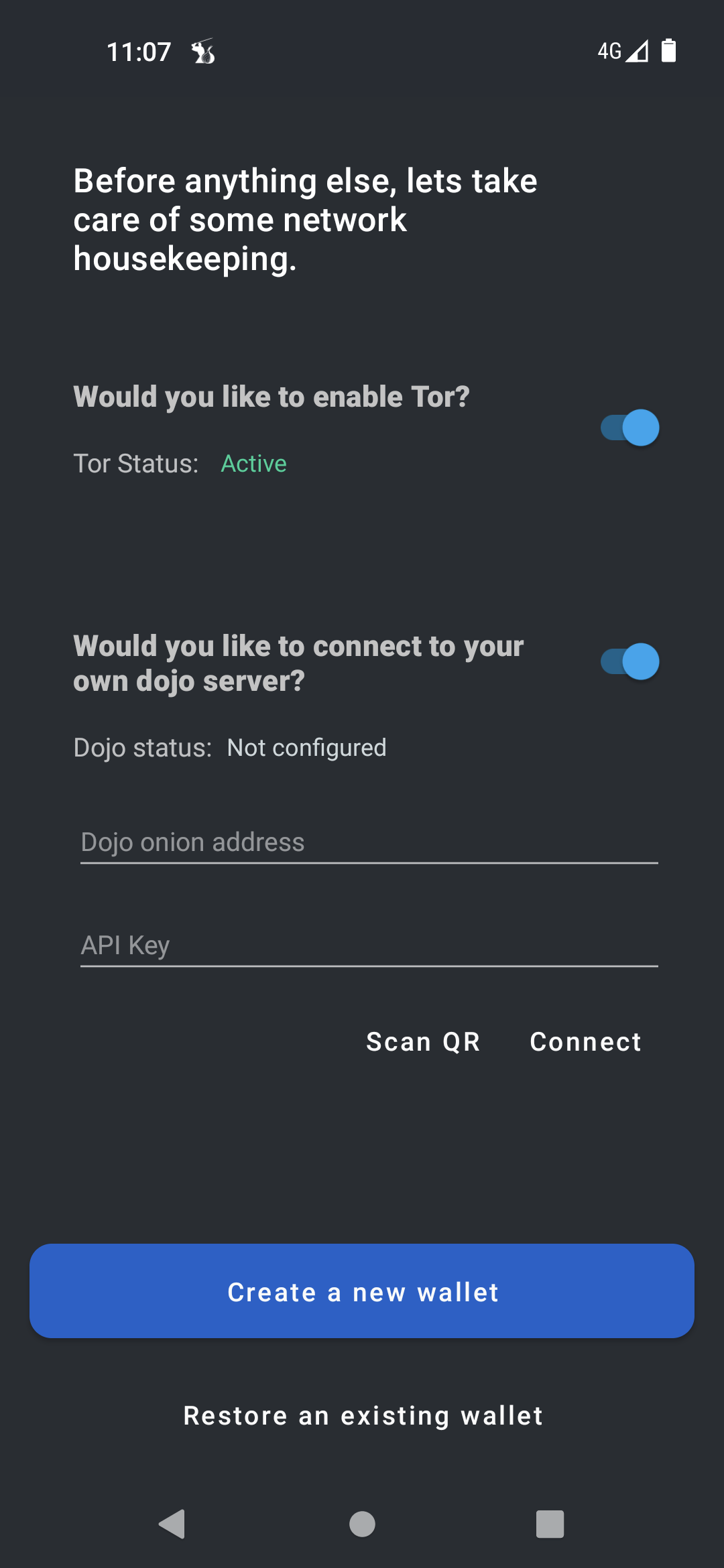
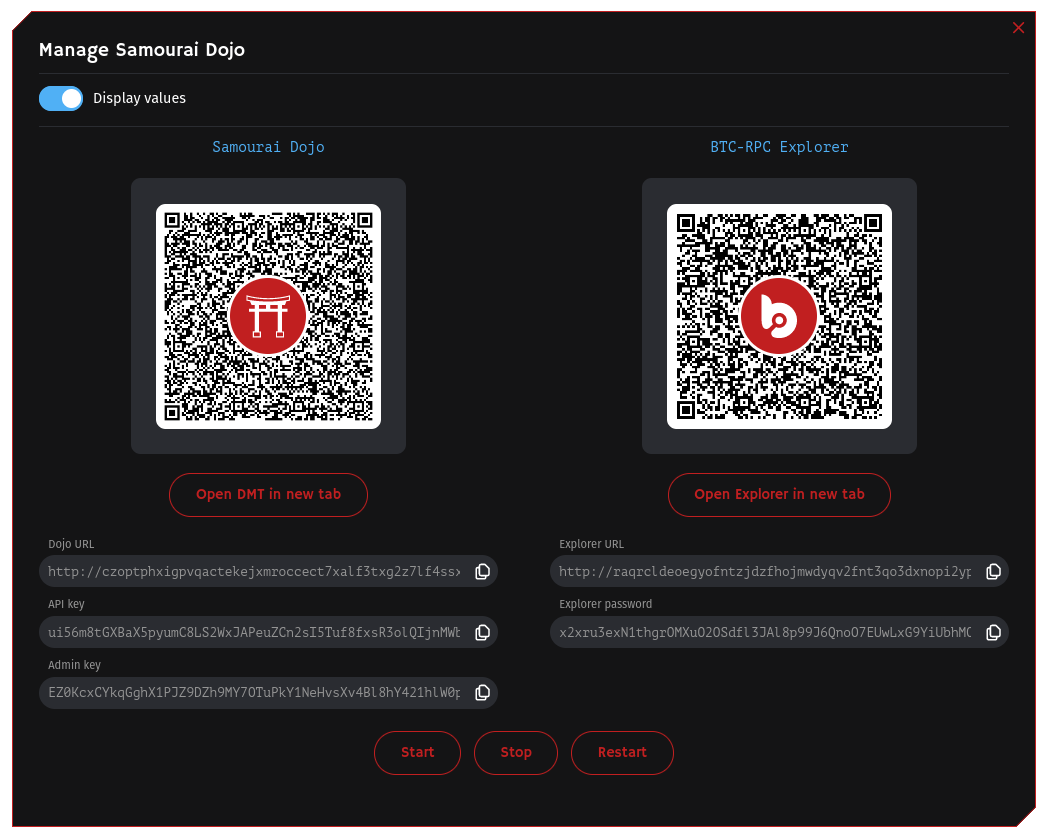
- Launch your RoninUI and navigate to
Dashboard→Dojo→Manage - Scan the Samourai Dojo QR code to pair with your Samourai Wallet.
¶ Restore Existing Wallet
Skip this step if you are starting with a new Samourai Wallet
Tap Restore an existing wallet
Tap I have a Samourai backup file
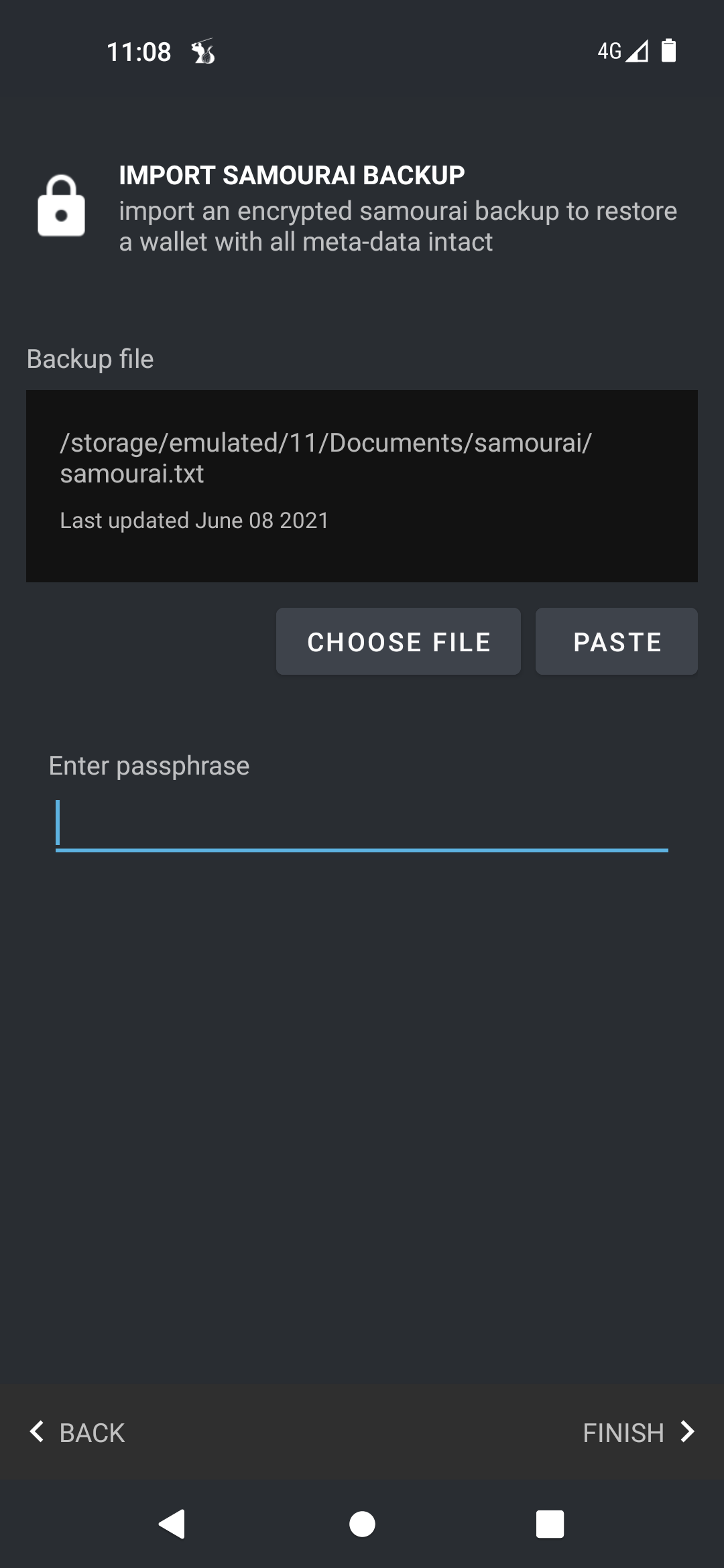
Either restore from the automatically detected backup, or manually find the file by selecting CHOOSE FILE
Carefully enter your passphrase then tap Finish
- Your Samourai Wallet is now linked to your RoninDojo!
¶ Create New Wallet
- Tap Create a new wallet and follow the on-screen instructions. Following this, your Samourai Wallet is now linked to your RoninDojo!
¶ Missing Bitcoin Balance?
Do not be alarmed if you see a zero bitcoin balance! You simply need to scan for your bitcoin balance
¶ Additional Info
Check out Troubleshooting & Extras if you want more information.
Join the RoninDojo Chatroom and engage the community.